
More Than a Website: Why Serious Businesses Build Platforms, Not Pages

Updated: Jan 30
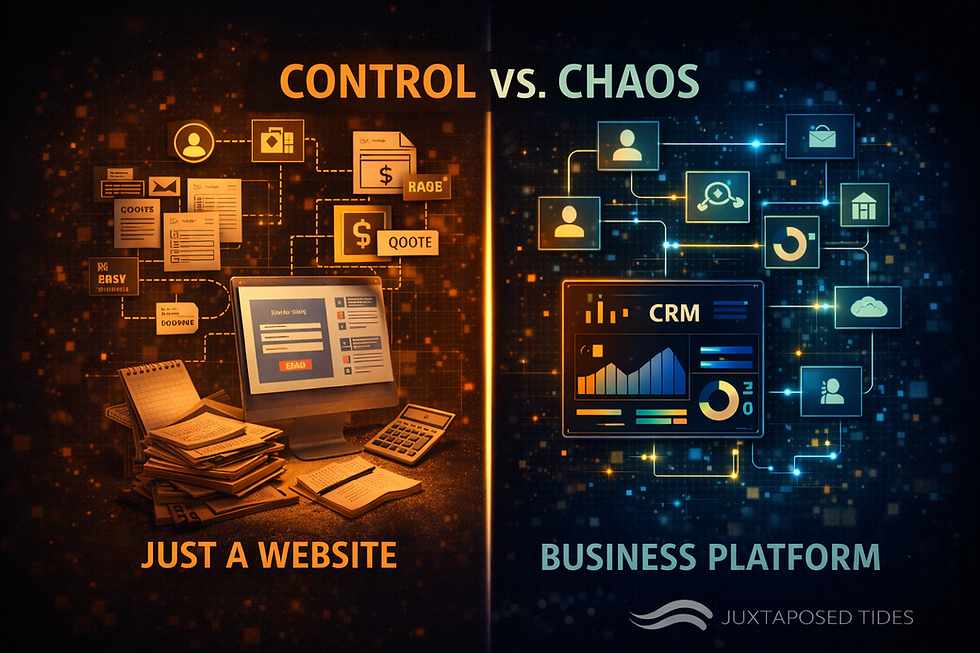
Every small business starts somewhere, often with a simple website. For a time, that website might seem enough. It shares your story, lists your products or services, and maybe even brings in a few customers. But as your business grows, cracks begin to show. Leads slip through the cracks, tools don’t talk to each other, follow-ups get missed, and the owner ends up juggling too many tasks. This is where the difference between having a website and building a platform becomes clear.

Why a Website Alone Isn’t Enough
A website is a digital brochure. It tells visitors who you are and what you offer. But it rarely does more than that. When your business grows, you need more than just pages with information. You need systems that work together to handle operations, manage customer relationships, and automate repetitive tasks.
For example, imagine you run a small online store. Your website shows your products, but when an order comes in, you manually enter it into your inventory system, then send a separate email to your shipping provider. You track customer questions in your email inbox and reminders on sticky notes. This setup works when orders are few, but as sales increase, it becomes chaotic and error-prone.
Building a platform means connecting these pieces so they work as one. Orders flow automatically from your website to your inventory and shipping systems. Customer questions get logged and assigned to the right team member. Follow-ups happen without you needing to remind anyone. This reduces mistakes and frees you to focus on growing your business.
What Makes a Platform Different
A platform is a connected system that supports your entire business operation. It goes beyond just displaying information to actively managing workflows and data. Here are some key features that set platforms apart:
Centralized data
All your customer, sales, and inventory information lives in one place. This makes it easier to track performance and spot opportunities.
Automated workflows
Tasks like sending order confirmations, updating stock levels, or scheduling follow-ups happen automatically, reducing manual work.
Integrated tools
Your website, email marketing, payment processing, and customer support tools work together seamlessly.
Scalability
Platforms grow with your business. They handle more customers and more complex processes without breaking down.
Reduced chaos
With clear processes and fewer manual steps, your team can work more efficiently and avoid costly mistakes.
Examples of Platforms in Action
Consider a local bakery that started with a simple website listing its menu and hours. As demand grew, the owner faced challenges: phone orders got mixed up, inventory ran out unexpectedly, and customer feedback was scattered across social media and email.
By building a platform, the bakery connected its website to an online ordering system, inventory tracker, and customer feedback tool. Now, orders come in directly through the website, inventory updates in real time, and customer comments are collected in one place. The owner spends less time juggling tasks and more time baking.
Another example is a small consulting firm. Initially, they used a website to showcase services and collect inquiries via email. As clients increased, managing appointments, contracts, and invoices manually became overwhelming. The firm adopted a platform that integrated scheduling, document management, and billing. This system sends reminders, tracks project progress, and automates invoicing, allowing the team to focus on delivering value to clients.
Steps to Move From Website to Platform
Building a platform might sound complex, but it can start small and grow over time. Here are practical steps to begin:
Identify pain points
Look at your current processes and find where delays, errors, or extra work happen.
Choose tools that connect
Select software that integrates easily with your website and other systems. Many platforms offer APIs or built-in connections.
Automate repetitive tasks
Set up automatic emails, inventory updates, or appointment reminders to save time.
Centralize data
Use a customer relationship management (CRM) system or similar tool to keep all information in one place.
Train your team
Make sure everyone understands how to use the new platform and follows consistent processes.
Review and improve
Regularly check how the platform performs and adjust workflows to fit your growing needs.
Benefits Beyond Efficiency
Building a platform does more than reduce manual work. It creates a foundation for sustainable growth and resilience. When your systems are connected and automated, you can:
Respond faster to customers
Quick replies and smooth order processing improve satisfaction.
Make better decisions
Access to real-time data helps you spot trends and adjust strategies.
Scale without chaos
Handle more customers and products without overwhelming your team.
Free up your time
Focus on innovation, marketing, and building relationships instead of firefighting daily tasks.
Moving Forward
If your business still relies on a simple website, it’s time to think bigger. Building a platform means creating a connected system that supports every part of your operation. Start by identifying your biggest challenges and look for tools that work together to solve them. Automate what you can, centralize your data, and train your team to use the new system.


Comments